How to remove echo (reverb) from a video recording
August 19, 2026
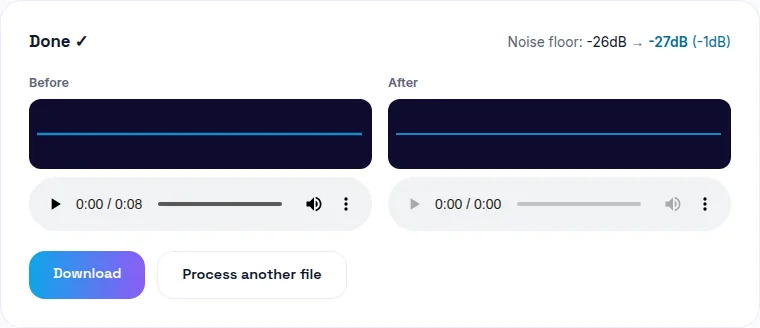
That hollow, distant-sounding dialogue in your video is almost always room reverb — sound reflecting off bare walls, floors, and ceilings and arriving at the mic slightly delayed, layered on top of your voice. AI de-reverb tools can meaningfully reduce it after the fact by separating the direct voice from the reflected sound. You can clean up echo in your video free here, entirely in your browser.
"Echo" and "reverb" are the same problem, in casual speech
Technically, echo and reverb are distinct acoustic phenomena — a true echo is a single, distinct repeat of a sound; reverb is many overlapping reflections blending into a continuous decay. In everyday use, though, the hollow-sounding recording you get from a bare room is reverb, and it's almost universally what people mean when they say a video "has an echo." This post is about that: room reverb baked into a recording.
(If you're dealing with a repeating, looping echo specifically on a live video call — that's a different problem, audio feedback, not room reverb. Read about fixing call echo/feedback here instead.)
Why empty and hard-walled rooms are the worst offenders
Soft, irregular surfaces — carpet, curtains, upholstered furniture, bookshelves — absorb sound energy and scatter what they do reflect, breaking up reflections before they build into an obvious effect. Bare walls, hardwood or tile floors, and high ceilings do the opposite: they reflect sound cleanly and repeatedly, and an empty room has nothing to interrupt those reflections. That's why a video recorded in a new apartment before the furniture arrives, or in a garage, bathroom, or empty office, almost always sounds hollow.
Can software actually remove it after the fact?
To a real, usable degree — yes. AI de-reverb models are trained to recognize the acoustic signature of reflected sound and suppress it, tightening up dialogue that would otherwise sound distant and hollow. It won't sound identical to a recording made in a professionally treated room, but the improvement on a bad recording is significant and often enough to make footage usable that would otherwise be a re-shoot.
What strength setting to use
There's a real tradeoff between how much reverb gets removed and how natural the voice still sounds. Very aggressive de-reverb processing can leave dialogue sounding slightly thin, processed, or artificial — moderate settings that noticeably reduce the hollow quality without over-processing usually sound the most natural. If your tool offers a strength control, start conservative and increase only if the hollow quality is still obviously present.
Preview before you commit
Because de-reverb is a judgment call between "still sounds hollow" and "sounds over-processed," always listen to a before/after comparison before downloading. A tool that lets you preview the result — rather than committing blind — saves you from re-doing the whole process with a different setting.
Preventing it next time
If this is a recurring problem (a home office you record in regularly, for instance), the actual fix is acoustic treatment: a rug, curtains, even moving blankets pinned to bare walls meaningfully cut reflections. Software fixes are for footage you can't re-record; treating the room is the fix for footage you haven't shot yet.
The bottom line
Hollow, roomy-sounding dialogue is reverb, not a broken microphone, and it's fixable after the fact without a re-shoot. Try WavyVid's echo removal tool free — drop in your file, preview the cleaned result, and download once it sounds right.
Frequently asked questions
Is echo the same thing as reverb?
In everyday use, yes — the "echo" people hear in a recording made in a hard-walled room is technically reverb: sound reflecting off walls, floors, and ceilings and arriving at the mic slightly delayed, layered on top of the direct voice.
Can software actually remove echo/reverb after recording?
To a meaningful degree, yes — AI-based de-reverb tools can separate the direct voice from the reflected sound and suppress the reflections, tightening up a hollow-sounding recording. It won't be as clean as a treated room recorded from the start, but it's a real, usable improvement.
Why does an empty or hard-walled room cause echo in the first place?
Soft, irregular surfaces (carpet, curtains, furniture, bookshelves) absorb and scatter sound; bare walls, floors, and ceilings reflect it cleanly back at the microphone. Empty rooms are the worst offenders because there's nothing to break up those reflections.
Does removing echo affect the rest of the audio quality?
There's a tradeoff — de-reverb processing works on the whole track, so very aggressive settings can make voice sound slightly processed or thin. Moderate settings that meaningfully reduce the hollow quality without over-processing usually give the most natural-sounding result.
Can I preview the result before committing to it?
Any tool worth using should let you hear a before/after comparison so you can judge whether the fix sounds natural before you download and use the file.